What Is a Brand Kit?
A Brand Kit is a centralized place where you store the visual and descriptive elements that define your brand, including:
- Logos
- Fonts and brand colors
- Brand descriptions
- Reference videos and inspiration
A well-built Brand Kit helps ensure your content is:
- On-brand
- Consistent
- Aligned with your audience and goals
How to Build an Amazing Brand …
Each Brand Kit is associated with a specific business or brand.
Before You Start
Have the following ready before you begin:
- Logo files (primary and alternate versions)
- Brand fonts (or font names)
- Brand colors (hex or RGB preferred)
- A short brand description
- Reference videos or visual examples
- Navigate to the Brand Kit
- Log in to your Blended Sense account.
- From your Customer Dashboard, navigate to Brand Kits.
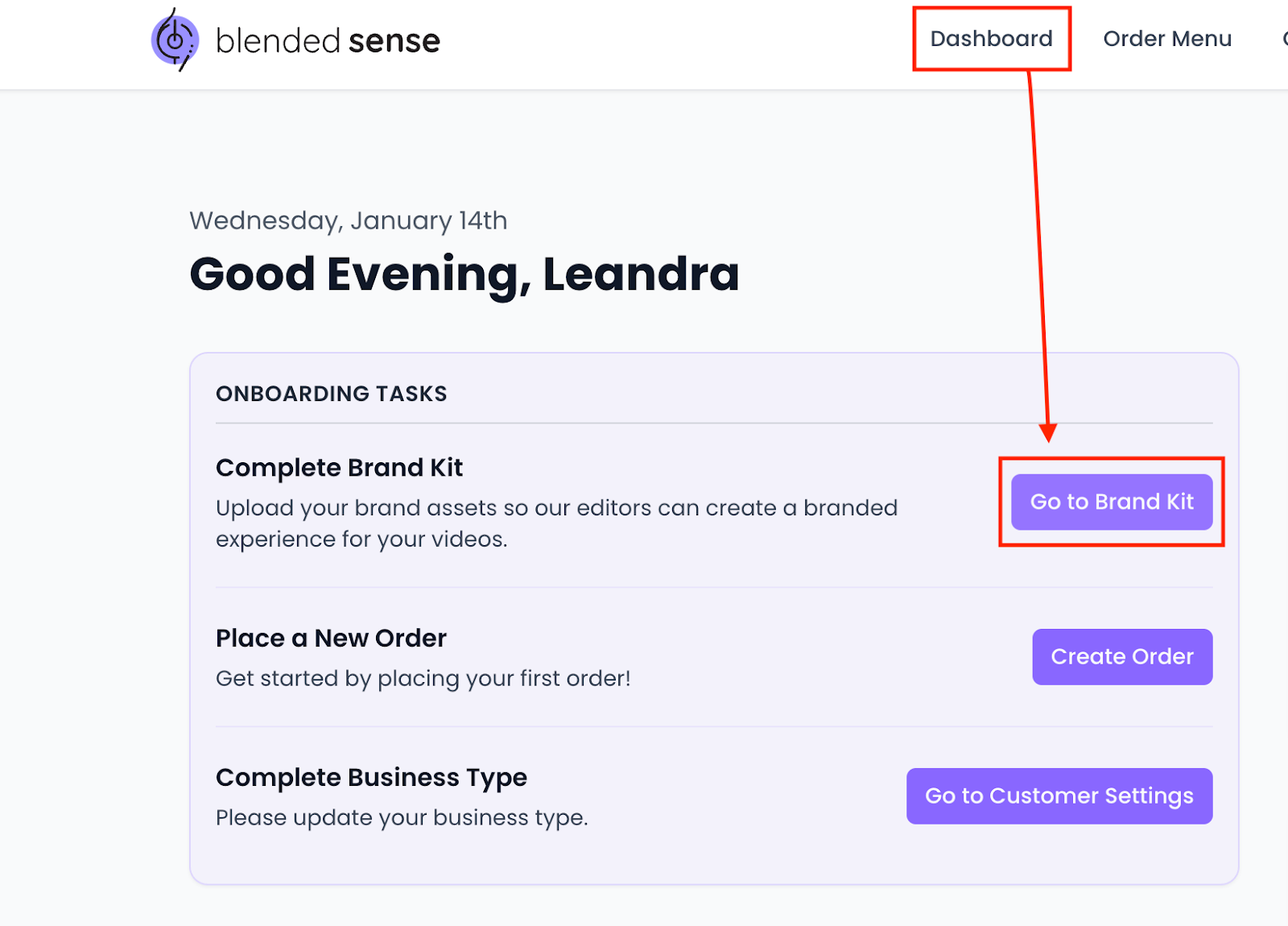
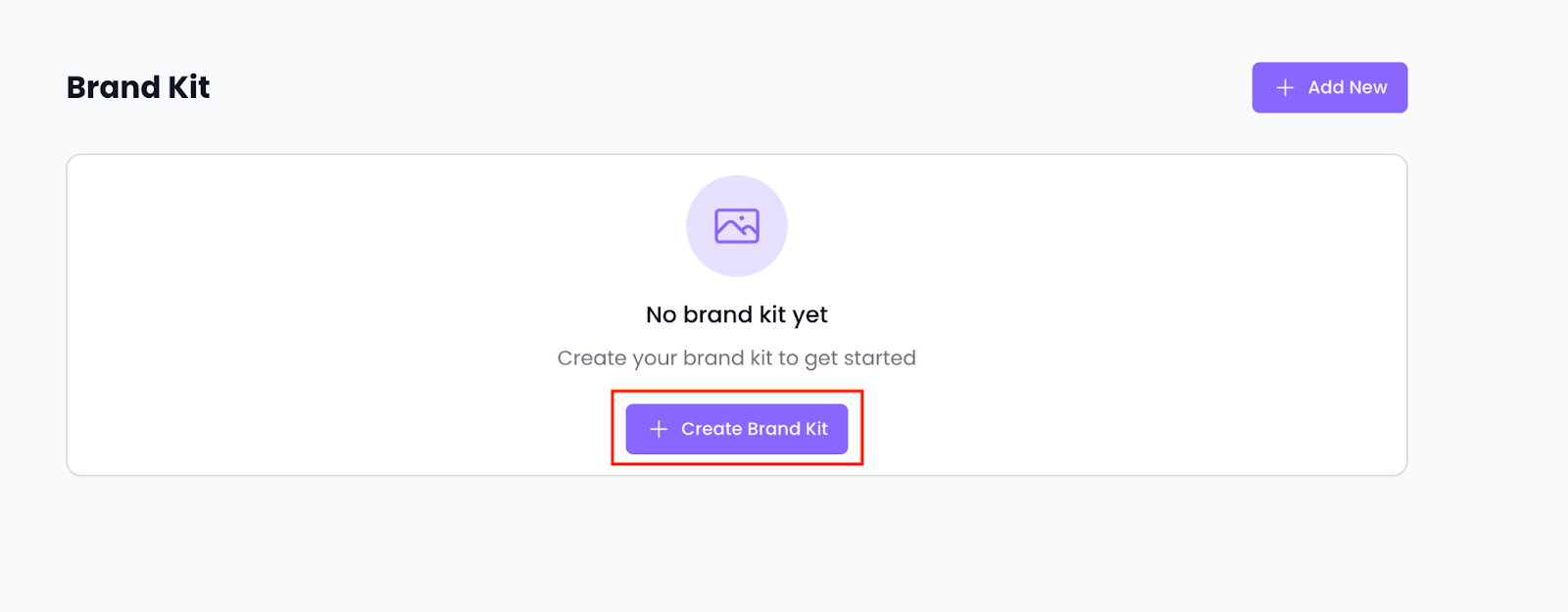
- Select Create Brand Kit (or open an existing Brand Kit).
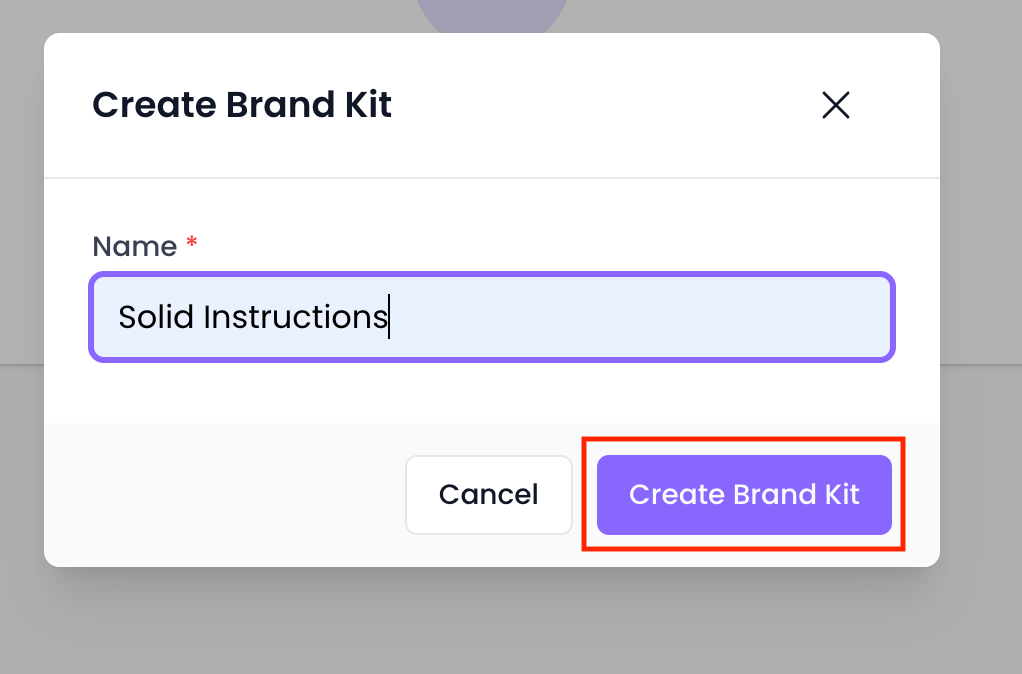
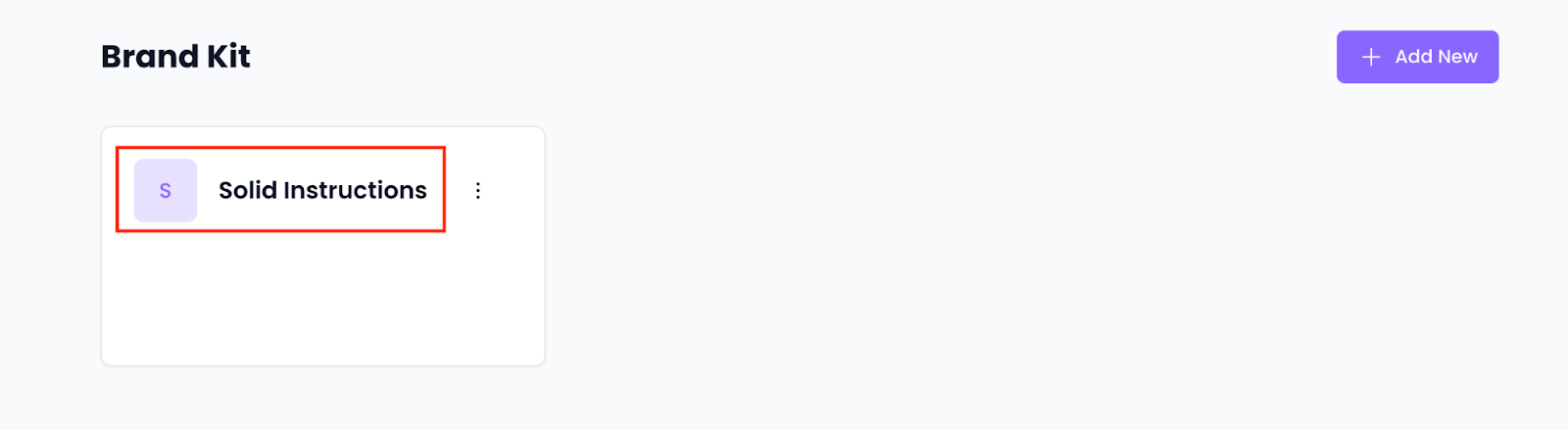
- Enter the name of your brand or business.
- Click your business name to open the Brand Kit page
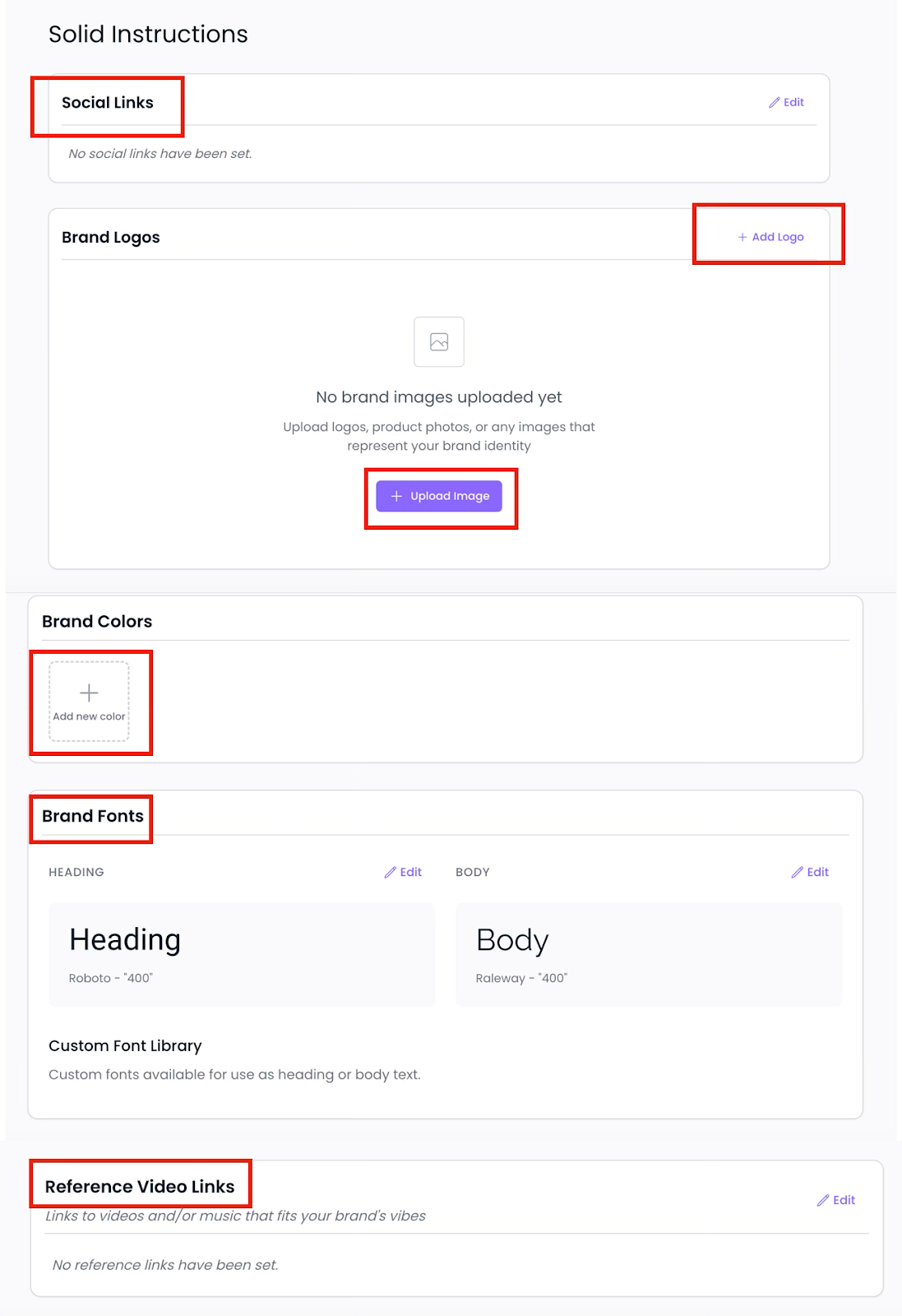
- Upload your primary logo.
- Add alternate versions if available (dark, light, icon-only, transparent background).
- Upload brand font files or list the font names.
- Enter brand colors using hex or RGB values.
- Add Reference Videos or Visual Inspiration
- Upload or link videos and visuals that represent:
- Style
- Tone
- Pacing
- Framing
- Upload or link videos and visuals that represent:
Review Your Brand Kit
- Review all entries for accuracy and completeness.
Once finished, your Brand Kit becomes available for use across projects.
Best Practices for a Strong Brand Kit
- Upload the highest-quality assets available
- Keep branding current and up to date
- Avoid outdated logos or off-brand examples
- Be intentional with reference content
A clear Brand Kit reduces guesswork, saves time, and leads to better content outcomes.
Related Articles
- Adding Multiple Brand Kits (Agencies & Multi-Brand Orgs)
- File Types & Size Requirements
- Best Practices for Logos, Fonts, and Reference Videos