Double-Check Your Email Address
Make sure you are using:
- The correct email address associated with your account
- The same email used during sign-up or invitation
- No extra spaces before or after your email
If you’re unsure which email was used, check your inbox for past Blended Sense messages.
Reset Your Password
If your password isn’t working:
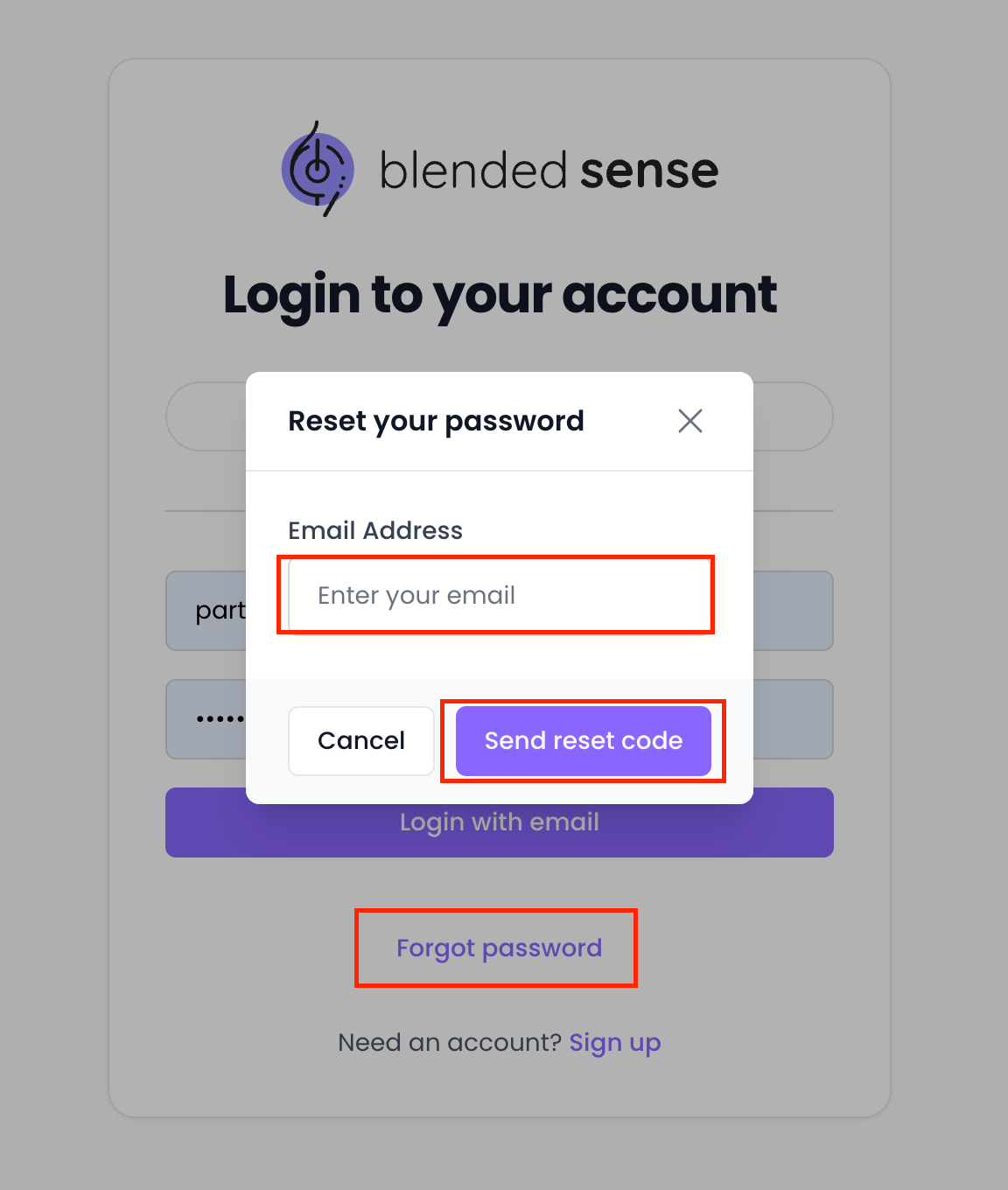
- Go to the login page.
- Select Forgot Password.
- Enter your email address.
- Follow the instructions in the reset email.
If you don’t receive a reset email, continue to the next section.
Didn’t Receive the Password Reset Email?
Check the following:
- Spam or junk folder
- Promotions tab (Gmail)
- Corporate email quarantine system
- That the email address was entered correctly
If you still don’t receive it, contact Support.
Clear Browser Issues
If your password is correct but login still fails:
- Refresh the page
- Clear your browser cache
- Try an incognito/private window
- Try a different browser
- Disable browser extensions temporarily
Sometimes cached sessions can prevent login.
Account Not Activated
If you were invited but never completed account setup:
- Locate your original invitation email
- Click the activation link
- Complete the account setup process
Invitation links may expire. If your link is no longer valid, contact Support.
Locked Account
Multiple failed login attempts may temporarily lock your account for security reasons.
If this happens:
- Wait a few minutes and try again
- Use the password reset option
- Contact Support if access is still blocked
When to Contact Support
Contact Support if:
- You cannot reset your password
- You no longer have access to the email on file
- Your invitation link has expired
- You believe your account was compromised
Include the email address associated with your account when reaching out.
Security Reminder
Never share your password with anyone.
Blended Sense will not ask for your password via email or phone.