
Check Your Internet Connection
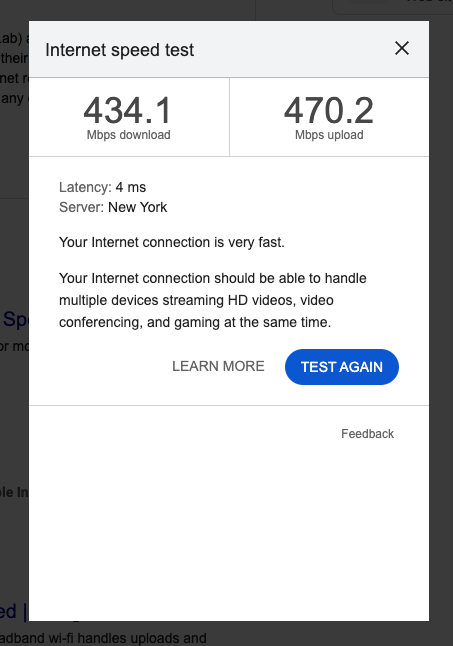
Upload failures are often caused by unstable or slow internet.
Before retrying:
- Confirm you are connected to a stable network
- Avoid public or heavily shared Wi-Fi if possible
- Pause other large downloads or uploads
- Move closer to your router (if on Wi-Fi)
For large files, a wired (Ethernet) connection is recommended.
Confirm File Size & Format
Verify that:
- Your file is in an accepted format (MP4 or MOV)
- The file is not corrupted
- The file completed exporting properly
- You are not attempting to upload a partially exported file
If unsure, try opening the file locally before re-uploading.
Refresh & Retry
Sometimes the issue is temporary.
Try:
- Refreshing the page
- Logging out and back in
- Closing and reopening your browser
- Attempting the upload again
Make sure previous upload attempts are fully stopped before retrying.
Clear Browser Issues
If the problem continues:
- Clear your browser cache
- Disable browser extensions temporarily
- Try a different browser
- Use an incognito/private window
Browser extensions or outdated sessions can interrupt uploads.
Break Up Large Uploads (If Needed)
If uploading many large files:
- Upload in smaller batches
- Avoid selecting hundreds of files at once
- Wait for one batch to complete before starting another
Large uploads may take time depending on file size and connection speed.
Verify Completion
Before closing your browser:
- Confirm all files show as successfully uploaded
- Check that file counts match your folder
- Ensure no “failed” or “interrupted” messages remain
Do not assume an upload completed if the browser was closed early.
If Uploads Continue to Fail
Contact Support and include:
- Your order number
- The file size and format
- A screenshot of the error message
- Your browser type
- Approximate internet speed (if known)
This information helps diagnose the issue quickly.
Important Reminder
Footage is expected to be uploaded within 12 hours of the Sweep.
If upload issues may cause delays, notify Support proactively.
Clear communication helps protect production timelines.